Overview

Acer Laptop Repair

Acer gaming laptops — including the Predator Helios, Predator Triton, Nitro V, and Nitro series — are built around high-performance discrete GPUs and aggressive thermal designs. That combination delivers strong gaming performance, but it also creates a specific set of failure patterns. Overheating under sustained load, GPU-related display faults, DC jack wear from repeated plugging cycles, and thermal paste degradation are all common mail-in repair cases for Acer gaming hardware at Brentworth. Repairs are accepted nationwide with a diagnosis-first workflow.

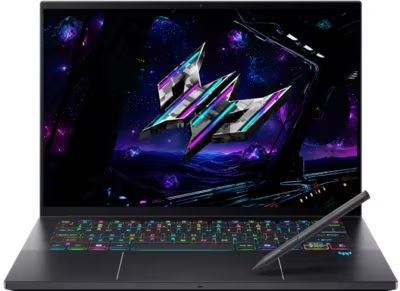
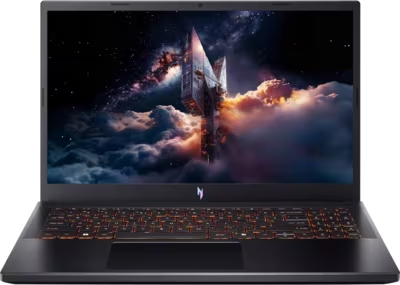
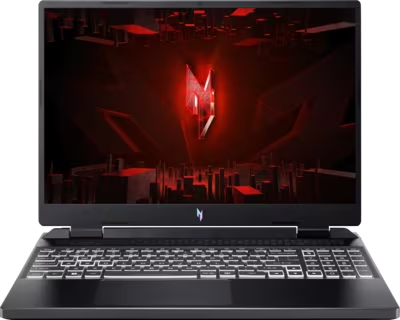
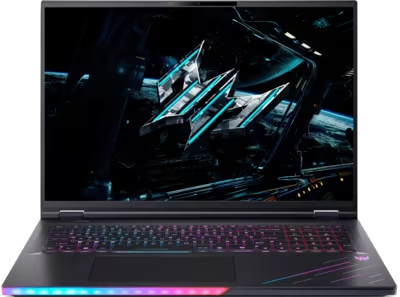
Acer gaming laptops span a wide performance range. The Predator Helios 16 and 18 — including AI variants — sit at the top end with high-wattage GPUs, per-key RGB keyboards, and advanced cooling systems. The Nitro V series covers mid-range gaming across 14-inch, 15-inch, 16-inch, and 17-inch form factors in both Intel and AMD configurations. The Nitro 14 and Nitro 16 round out the accessible gaming tier. Each series has its own thermal architecture and charging setup, which affects how faults present and what the appropriate repair path looks like. DC jack charging is common on Nitro models, while Predator variants increasingly support USB-C charging alongside the barrel connector.

The mail-in process starts with the intake form. Describe the Acer model name or number, what the machine is doing or not doing, and any events that preceded the fault — whether it occurred during a gaming session, appeared after a spill, started as throttling that got progressively worse, or followed a drop or impact. Once the machine arrives at Brentworth it is assessed against your description, the fault is confirmed, and you receive a clear quote or recommendation before any chargeable work begins.

Ready to start?

Use the intake form to describe the device, the fault, and the result you want. The more specific you are, the easier it is to give you a useful answer.

Start Repair
Models we repair

Choose your model

Select your Acer laptop series for model-specific fault information and repair details.

Common Issues

What we fix

Overheating, thermal throttling, and fan failure under gaming load

Acer gaming laptops — particularly Nitro and Predator models under sustained load — are prone to thermal throttling when cooling systems degrade. The most common causes are dried-out thermal paste on the CPU and GPU dies, dust accumulation blocking heatsink fins and fan intake vents, and fan bearing failure causing one or both fans to spin slowly or stop. A machine that ran smoothly at launch but now throttles during gameplay, shuts down unexpectedly under load, or runs with fans at maximum speed during light tasks warrants a thermal service and inspection.

GPU faults and display output issues

Discrete GPU faults on Acer gaming laptops present in several ways: a machine that posts but shows no image on the built-in display or an external monitor, artifacting or corruption during 3D workloads, crashes or blue screens during gaming that do not occur at desktop, or a display that goes black under load and recovers when the machine idles. Some GPU faults are heat-related and improve temporarily after thermal service. Others indicate a board-level failure on the GPU itself or in the MXM slot on models that use replaceable graphics modules.

DC jack charging faults and power delivery problems

Most Acer Nitro and older Predator models use a barrel-style DC jack rather than USB-C for primary charging. These connectors are subject to mechanical stress from repeated insertion and removal, particularly on machines used at a desk where the power cable is frequently connected and disconnected. A DC jack that requires the cable to be held at an angle, only charges when the connector is positioned a specific way, or has stopped charging entirely needs inspection. Internal barrel jack failures can also damage the charging circuit on the board if left unaddressed.

Liquid damage and post-spill failures

Gaming sessions and liquid damage are a common combination — drinks near the keyboard during extended play sessions are a routine cause of mail-in Acer laptop repairs. The Nitro and Predator keyboard layouts sit above complex board areas, and liquid that reaches the board can cause key failures, trackpad loss, GPU instability, random shutdowns, or a complete no-power condition over time as corrosion develops. Brentworth uses ultrasonic cleaning to remove liquid and corrosion residue before any board assessment is performed.

No power and failure to boot

An Acer gaming laptop that shows no response to the power button, powers on briefly before shutting off, or stalls at the Acer splash screen may be dealing with a battery fault, a DC jack or charging circuit problem, a failed power delivery component on the board, or firmware corruption. Gaming laptops that have been run at sustained high temperatures for extended periods can also develop board-level faults that present as intermittent power issues before becoming permanent. Diagnosis determines the root cause before any parts are sourced.

Display faults, backlight failure, and hinge damage

Acer gaming laptop displays can fail from impact, hinge stress, or internal board faults. A screen that flickered before going dark, a panel with dead zones or pressure marks from a lid being closed on debris, and a backlight that cuts out at certain hinge angles are all distinct fault types requiring different repair approaches. Acer Nitro hinges in particular can develop stress cracks in the display housing over time, which can pull on the display cable and cause intermittent or permanent display loss.

Common Questions

Frequently asked questions

Which Acer gaming laptop models does Brentworth repair?

Brentworth accepts mail-in repairs for Acer Predator Helios models (16, 18, and AI variants), Predator Helios Neo (14 and 16S AI), Predator Triton Neo 16, Acer Nitro V (14, 15, 16, and 17 in both Intel and AMD configurations), and Nitro 14 and Nitro 16 models. If you are unsure whether your specific model is a repair candidate, the intake form is the right place to describe the fault and find out.

My Acer gaming laptop overheats and shuts down during gaming. Is that repairable?

Yes, and it is one of the most common Acer gaming laptop mail-in cases at Brentworth. Thermal shutdown during gaming typically points to degraded thermal paste on the CPU and GPU, blocked heatsink fins from dust buildup, or a failing fan. Thermal service — repasting and cleaning the cooling system — resolves the majority of these cases. If the thermal issue has caused a secondary board-level fault, diagnosis is needed to assess the damage before quoting.

My Acer Nitro DC charging jack only works at a specific angle. What does that mean?

A DC jack that requires the cable to be held or positioned in a specific way to charge is showing mechanical failure. The barrel connector has likely developed internal play or damage from repeated use, and the internal solder joints may be cracked. This fault tends to worsen over time — if left unaddressed, the connector can fail entirely and may damage the charging circuit on the board. The intake form is the right starting point to describe what you are seeing.

Is there an inspection fee for Acer laptop repair?

Yes. Brentworth charges a non-refundable inspection fee of $70 for Acer laptop repairs that require disassembly to diagnose. This fee is credited toward the repair cost if you choose to proceed with Brentworth. If you decide not to proceed, you receive a detailed written breakdown of the fault and what remediation would be required.

My Acer Predator shows no display output, either on the built-in screen or an external monitor. What does that mean?

No display output on both the built-in screen and an external monitor on a gaming laptop with a discrete GPU most commonly points to a GPU fault, a board-level issue in the display output path, or a power delivery problem that is preventing the GPU from initialising correctly. If the machine posts on an external monitor but not the internal display, the fault is likely in the panel, the display cable, or the eDP connector. Both situations require physical inspection to confirm the fault before a repair path is determined.

Can you repair liquid-damaged Acer gaming laptops?

Many liquid-damaged Acer gaming laptops are recoverable, but the outcome depends on what the liquid reached and whether the machine has been powered on repeatedly since the spill. Gaming laptops have complex keyboard assemblies directly above board areas with high component density, which means spills can reach critical areas quickly. Brentworth inspects and cleans with ultrasonic equipment before assessing board condition. If repair is not viable, that is communicated clearly before any costs are incurred.

My Acer gaming laptop throttles heavily even during light tasks. What could cause that?

Aggressive throttling during light tasks — browsing, video playback, or desktop use — usually means the machine is hitting thermal limits at idle or very low load, which points to a severe thermal management problem rather than a normal gaming-load situation. This can indicate severely degraded thermal paste, a failed temperature sensor causing the system to overheat-protect at incorrect thresholds, a fan that has stopped spinning, or in some cases a board-level fault affecting power management. Thermal service should be the first investigation.

How long does Acer gaming laptop repair typically take?

Thermal service and DC jack repairs typically resolve faster than liquid-damage cases requiring cleaning and board assessment, or GPU and board-level faults requiring deeper diagnosis. Once the machine arrives and the fault is confirmed, Brentworth provides a realistic timeline before any chargeable work moves forward. Complex board-level repairs take longer than straightforward mechanical or thermal work.

Ready to start?

Use the intake form to describe the device, the fault, and the result you want. The more specific you are, the easier it is to give you a useful answer.

Start Repair

Related services

common repairs

Laptops

MacBook and Windows laptop repair for no power, USB-C charging faults, liquid damage, broken screens, hinge damage, and overheating.

View all services