
Console repair for PS5 HDMI faults, Switch charging issues, and no-power failures
Mail-in game console repair for PS5, Xbox, Nintendo Switch, and similar systems with HDMI failures, no-power faults, overheating, charging-port damage, storage issues, and other hardware problems that need diagnosis.
Service laneGame Console Repair
PS3 Slim RSX (GPU) extraction for use as a donor
How these repairs usually look in the real world
Console repairs are often more specific than just 'no video' or 'not turning on.' A PS5 with a damaged HDMI port, a Nintendo Switch that no longer charges or docks correctly, or an Xbox Series console that shuts off during startup can involve connector damage, power-rail faults, thermal problems, or storage-related issues that need diagnosis before parts are ordered.
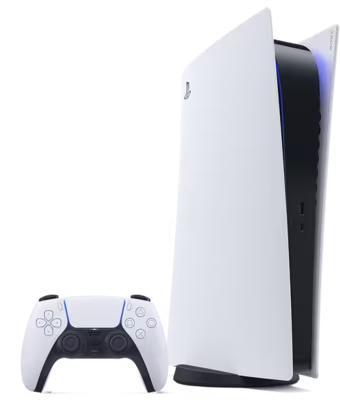
PS5 HDMI damage, no-signal faults, and consoles that look fine until they hit the TV
A PS5 can power on normally and still give no usable video. Sometimes that is a worn or damaged HDMI port after cable strain, a move, or repeated reconnects. Sometimes the damage reaches further into the board and the failure only becomes obvious when the console is connected to a display. The important part is separating a straightforward connector repair from a more involved video-path problem before anyone assumes the job is simple.
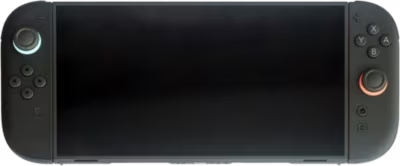
Nintendo Switch charging trouble, dock issues, and worn or damaged USB-C ports
Switch problems often arrive as a handheld that will not charge, will not dock, only powers on in certain situations, or drains even while connected. A damaged USB-C port can affect much more than charging alone, including dock video output and accessory detection, and not every charging problem is caused by the connector itself. That is why Switch repair tends to go better when the charging path is reviewed as a whole instead of treating every symptom like a simple port replacement.
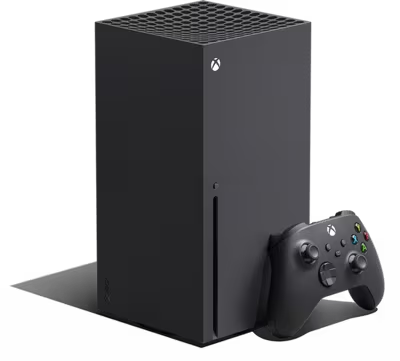
Xbox no-power cases, shutdown-after-startup faults, and consoles that behave differently hot versus cold
Xbox Series and Xbox One problems are often described as no power even when the behavior is more nuanced than that. A console may try to start and shut off right away, work only after sitting unplugged, or fail differently once it warms up. Those patterns can point to power-rail faults, thermal trouble, storage-related issues, or other deeper causes, which is why diagnosis-first console repair helps avoid ordering the wrong parts or chasing the wrong symptom.
What diagnosis usually checks
Confirm whether the real symptom is no signal, no charge, no power, shutdown under load, overheating, storage trouble, or controller and wireless instability.
Inspect HDMI, USB-C, power, cooling, and storage-related hardware for physical damage, wear, contamination, or previous repair work.
Separate connector faults from deeper board, thermal, or power-rail problems before assuming the visible damage is the whole story.
Decide whether the likely path is connector replacement, thermal service, storage-related work, or deeper diagnosis.
What repair work may involve
Replace damaged HDMI or USB-C connectors when the board around the port remains healthy enough to repair reliably.
Clean and restore cooling when dust, dried compound, or mechanical issues are driving overheating and shutdown behavior.
Address power, boot, or storage-related failures when the symptoms clearly point beyond the external connector damage.
Recommend against repair when board damage, corrosion, or prior work makes a dependable result unrealistic.
Common Issues
HDMI, display-path, dock, and charging-port faults
No power, shutdown, boot, storage, and controller-connectivity issues
Fan, thermal, liquid-damage, and board-level console diagnosis
Typical Devices
PlayStation 5 and PlayStation 4 consoles with HDMI, storage, power, or overheating faults
Nintendo Switch, Switch OLED, and similar handheld consoles with charging or dock-related issues
Xbox Series X, Series S, and Xbox One family systems with no-power or shutdown symptoms
Fault Examples
PS5 HDMI port failure, no signal, or damaged video output after cable strain
PS5 overheating warning, loud fan behavior, or thermal-service concerns
Nintendo Switch not taking a charge, dock not working, or damaged USB-C port
Xbox Series X or Series S with no power or shutdown shortly after startup
Console storage, Wi-Fi, or Bluetooth symptoms that may be tied to deeper hardware faults
How the mail-in process works
Start with the intake form so Brentworth can review the device, the fault, and any repair history before you ship. If the job looks like something Brentworth can take on, you'll get a reference number and a reply telling you what to do next.
Submit the intake with the device model, the current fault, and any liquid damage, impact, or prior repair history.
Include the reference number with the package so the device can be logged quickly when it arrives.
Expect diagnosis before chargeable work is approved, especially for intermittent, board-level, or high-value failures.
Related Services
Explore other repair categories
Brentworth also works on nearby categories in case the problem sits across more than one device type.
Diagnosis-first GPU repair for no display, artifacting, overheating, fan failure, and damaged connectors.
Start Intake
Ready to send in this device for review?
Use the intake form to describe the model, the symptoms, and anything that happened before the problem started. Brentworth will reply with what to do next and the reference number to include with your package.