
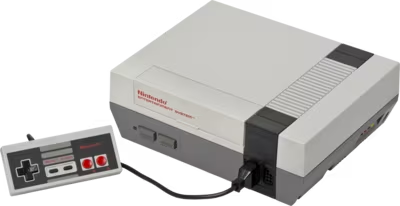
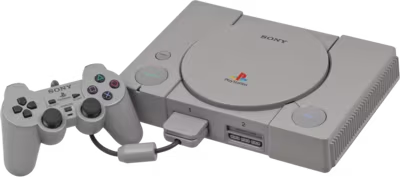
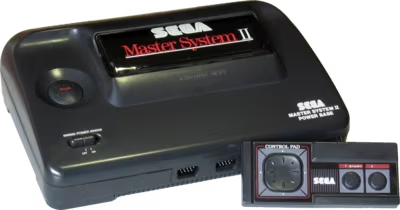
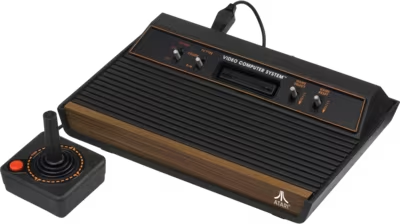
Retro console repair, restoration, and selected hardware mod work
Mail-in retro console repair, restoration, and mod work for Nintendo, Sega, PlayStation, and other older systems with video, audio, power, cartridge, disc-drive, capacitor, and age-related hardware issues.
Service laneRetro Console Repair & Modding
Sega gamegear console after capacitor replacement
How these repairs usually look in the real world
Older systems often arrive with multiple stacked problems: leaking capacitors, worn connectors, oxidized cartridge slots, failing optical drives, prior repair work, or fragile traces that do not tolerate guesswork. Brentworth accepts selected restoration and mod projects where the goal is dependable hardware, cleaner output, or a well-executed repair on boards that deserve patience.
Capacitor leakage, no power, and the slow failures that come with aging hardware
Retro consoles and handhelds often fail because time did what drops and spills never had the chance to do. Leaking capacitors, corroded vias, aging regulators, brittle solder joints, and oxidized connectors can all pile up in the same machine. On older hardware, the job is often less about one dramatic failure and more about sorting through several smaller age-related faults without causing new damage in the process.
Disc-drive, cartridge-slot, and controller-port problems on hardware that has already seen decades of use
GameCube, Dreamcast, PlayStation, Saturn, and similar systems can suffer from disc-read failures, weak lasers, dirty connectors, worn cartridge slots, and controller ports that have simply seen too much use. Sometimes the fix is careful cleanup and adjustment. Other times the wear has spread into the drive, the connector, or the board around it. That is why retro repair work often takes a more patient, inspection-heavy approach than modern hardware.
HDMI mods, RGB upgrades, restoration work, and boards that need to be treated carefully
Some owners want restoration. Others want cleaner video output, a storage upgrade, region work, or a carefully executed HDMI or RGB mod on hardware they plan to keep for years. Those projects can be very rewarding, but they also depend on the condition of the board in front of you. Brentworth reviews retro mod and restoration work with the same diagnosis-first mindset, especially when the console already has prior repairs, fragile traces, or age-related damage that changes what is safe.
What diagnosis usually checks
Inspect for capacitor leakage, corrosion, worn connectors, previous mod work, trace damage, and age-related mechanical wear.
Confirm whether the real symptom is power loss, video trouble, audio trouble, disc-drive behavior, cartridge-slot wear, controller-port trouble, or several faults stacked together.
Check whether the board condition supports restoration, a targeted repair, or a mod project safely before promising a path forward.
Decide whether the job is best approached as cleanup, component replacement, full restoration, careful mod work, or an honest stop recommendation.
What repair work may involve
Replace aging capacitors, clean corrosion, and restore compromised connector or power areas where age-related damage has spread.
Service cartridge slots, controller ports, and optical drive assemblies when decades of wear have built up gradually over time.
Carry out selected HDMI, RGB, storage, or region mods only after the board condition supports a clean installation.
Protect fragile boards by limiting work honestly when traces, pads, or prior mods make aggressive intervention too risky.
Common Issues
Power, video, audio, cartridge-slot, and optical-drive faults
Capacitor replacement, connector cleanup, and restoration work
Selected HDMI, RGB, audio, region, and storage mod projects
Typical Devices
NES, SNES, N64, GameCube, Wii, Sega Genesis, Saturn, Dreamcast, PlayStation, and PlayStation 2 era hardware
Retro handhelds and classic systems with aging caps, worn ports, or fragile board damage
Consoles with prior repair history, old mods, or restoration needs that require careful bench work
Fault Examples
No power, bad video, jailbars, audio issues, or random resets on aging hardware
Cartridge-slot, controller-port, or connector cleanup and repair
GameCube, Dreamcast, PlayStation, or PlayStation 2 disc-read and drive-related problems
Capacitor leakage damage, corrosion cleanup, and age-related preventative service
HDMI, RGB, audio, region, or storage-related retro mod installations and cleanup
How the mail-in process works
Start with the intake form so Brentworth can review the device, the fault, and any repair history before you ship. If the job looks like something Brentworth can take on, you'll get a reference number and a reply telling you what to do next.
Submit the intake with the device model, the current fault, and any liquid damage, impact, or prior repair history.
Include the reference number with the package so the device can be logged quickly when it arrives.
Expect diagnosis before chargeable work is approved, especially for intermittent, board-level, or high-value failures.
Related Services
Explore other repair categories
Brentworth also works on nearby categories in case the problem sits across more than one device type.
Diagnosis-first GPU repair for no display, artifacting, overheating, fan failure, and damaged connectors.
Start Intake
Ready to send in this device for review?
Use the intake form to describe the model, the symptoms, and anything that happened before the problem started. Brentworth will reply with what to do next and the reference number to include with your package.