


Overview

Dell Laptop Repair

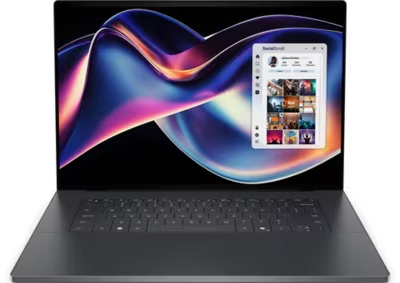
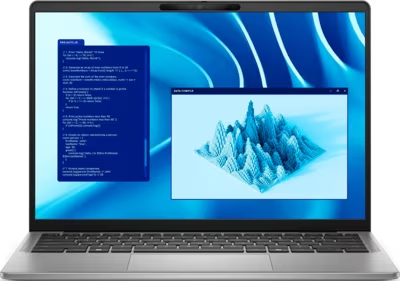
Dell produces laptops across consumer, business, creator, and gaming markets, and failure modes differ significantly by product line. Thin premium models like the XPS run warm by design, which shortens the life of thermal paste and can lead to board-level damage when cooling is not maintained. Business-grade Latitude and Precision hardware is generally more serviceable but still develops port wear, battery faults, and heat-related issues over time. G-series gaming laptops share many of the same thermal challenges as other gaming notebooks and benefit from regular maintenance under sustained load.

Brentworth reviews Dell mail-in repair requests when the right next step is diagnosis rather than a guess. Submit intake to describe the device and the fault before shipping anything.

Ready to start?

Use the intake form to describe the device, the fault, and the result you want. The more specific you are, the easier it is to give you a useful answer.

Start Repair
Models we repair

Choose your model

Dell's laptop lineup spans five distinct product families. Select a line below to see common faults and what Brentworth reviews for that hardware.

Common Issues

What we fix

USB-C and Thunderbolt port damage

XPS and Precision models rely heavily on USB-C and Thunderbolt for charging and display output. Ports used frequently or with heavy cables develop mechanical wear, intermittent connection, and occasionally board-level damage at the port pads.

Thermal paste degradation and throttling

Thin-chassis Dell laptops have limited airflow headroom. As thermal paste dries out, sustained CPU or GPU workloads cause temperatures to climb until the system throttles or shuts down. This is common on XPS and G-series hardware that sees heavy use.

Battery swelling and degradation

Dell laptop batteries swell when cells degrade unevenly or the pack has been stored at high charge for extended periods. A swelling battery puts pressure on the chassis and keyboard and should be addressed before the casing cracks or the display is damaged.

Display and hinge failures

Hinge tension on Inspiron and some Latitude models wears over time, leading to loose or stiff lids. On thinner models, repeated opening stresses the display cable routed through the hinge, which can cause intermittent or complete display failure with no visible external damage.

Water and liquid damage

Liquid exposure is one of the more common reasons Dell laptops arrive with faults that are hard to trace. Spills that seem minor can leave residue on the board that causes shorts, corrosion, or intermittent behavior days or weeks after the incident. The machine may appear to recover initially and then develop new faults as corrosion spreads. Early assessment improves the outcome — the longer corrosion sits, the more it damages.

No power faults

A Dell laptop that does not respond to the power button may have a dead battery, a failed charging port, a blown protection fuse on the board, or a more significant board-level fault. The symptoms can look identical from the outside regardless of cause. Diagnosis determines where in the power delivery chain the fault is before any repair work is quoted.

Common Questions

Frequently asked questions

Do you repair all Dell laptop lines?

Brentworth reviews repair requests for XPS, Inspiron, Latitude, Precision, and G-series laptops. Acceptance depends on the specific fault, the model, and whether the repair is economically viable. Submit intake to get a review before shipping.

Can you fix a Dell laptop that won't charge or boot?

Yes. No-charge and no-boot faults are among the most common Dell submissions. The cause ranges from a worn USB-C port or bad power adapter to a failed charging IC or board-level fault. Diagnosis comes first.

Is thermal paste replacement worth doing on a Dell laptop?

Yes, on hardware that is throttling or running hotter than it used to. XPS and G-series models in particular benefit from repasting every few years under sustained workloads. It is one of the more straightforward services when the chassis is otherwise in good condition.

Do you work on Dell laptops that have had previous repair attempts?

Yes, but prior repair attempts should be disclosed in intake. Incomplete repairs, wrong parts, or damage from incorrect disassembly affect the diagnostic process and may affect the quote. Mention any known history so the assessment accounts for it.

Can you recover data from a Dell laptop that won't boot?

Data recovery from a non-booting Dell depends on where the fault is. If the drive is intact and the board-level fault is isolated, the drive may be readable in another machine or through an enclosure. If the drive itself has failed, recovery is a separate process. Describe the failure in intake and Brentworth will advise on the right approach.

My Dell laptop screen is cracked — can you replace it?

Yes. Screen replacement on Dell laptops is reviewed at intake. Cracked panels on XPS, Inspiron, Latitude, Precision, and G-series hardware are serviceable depending on the model and panel availability. Include the exact model and whether the display still powers on.

Do you work on Dell laptops that are out of warranty?

Yes. Most submissions are out-of-warranty hardware. Warranty status does not affect whether Brentworth will review the job — what matters is the fault, the model, and whether the repair is worth doing.

Ready to start?

Use the intake form to describe the device, the fault, and the result you want. The more specific you are, the easier it is to give you a useful answer.

Start Repair

Related services

common repairs

Laptops

MacBook and Windows laptop repair for no power, USB-C charging faults, liquid damage, broken screens, hinge damage, and overheating.

View all services