
Overview

Gigabyte Laptop Repair

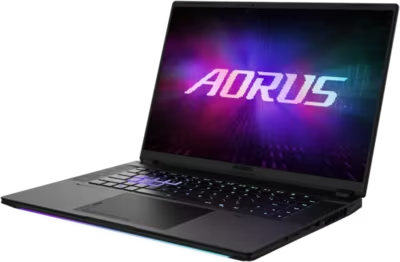
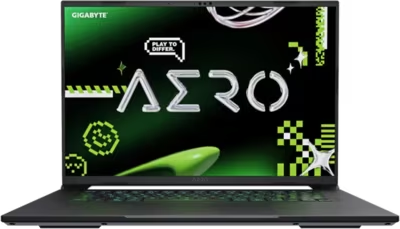
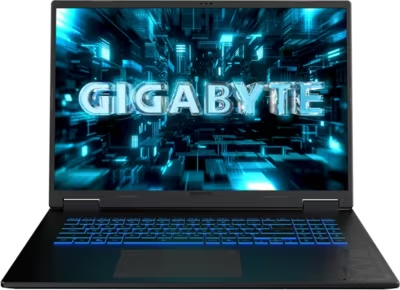
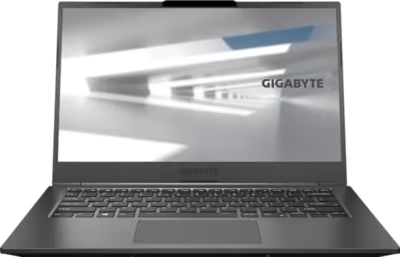
Gigabyte produces laptops across gaming, creator, business, and AI-capable segments under several distinct lines. AORUS covers high-end gaming hardware with aggressive cooling and high-refresh displays. AERO targets content creators with color-accurate panels and thin chassis. The GIGABYTE Gaming line sits at a more accessible price point for general gaming use. The U series covers ultrabook-style productivity machines, and Gigabyte's Copilot+ certified laptops represent their AI-capable thin-and-light range.

Failure modes differ by line. Gaming laptops accumulate thermal paste degradation and fan wear faster under sustained load. Thin creator and productivity machines have tighter thermal budgets and are more sensitive to port stress. Brentworth reviews Gigabyte mail-in repair requests when proper diagnosis is the right first step before parts are ordered or the chassis is opened.

Ready to start?

Use the intake form to describe the device, the fault, and the result you want. The more specific you are, the easier it is to give you a useful answer.

Start Repair
Models we repair

Choose your model

Gigabyte's laptop lineup spans five product families. Select a line below to see common faults and what Brentworth reviews for that hardware.

Common Issues

What we fix

Thermal paste degradation and throttling

Gigabyte gaming laptops push CPU and GPU hard under sustained load. Thermal paste degrades with repeated heat cycling and reduces heatsink contact efficiency over time. The result is rising temperatures, reduced clock speeds under load, and eventually unexpected shutdowns. Gaming and creator lines are most affected, but any Gigabyte laptop used heavily will benefit from a thermal service after a few years.

Fan failure and bearing noise

Fans in AORUS and GIGABYTE Gaming laptops run at high speeds for extended periods. Bearing wear develops over time and presents as rattling, grinding, or a fan that has slowed or stopped. A failing fan causes temperatures to climb rapidly under load and increases the risk of heat damage to the board and GPU.

Display and port faults

High-refresh-rate panels on AORUS and Gaming laptops can develop backlight flickering, display cable stress faults at the hinge, and panel failures. AERO models with OLED or Mini-LED displays present different failure modes. USB-C and Thunderbolt ports on creator and productivity machines see heavy use and develop intermittent connection issues over time.

Water and liquid damage

Liquid exposure is a common cause of faults that are difficult to trace without board-level inspection. Spills through the keyboard are the most frequent entry point, and the machine may appear to recover before developing corrosion-related faults days or weeks later. Do not power on a Gigabyte laptop that has been spilled on — shut it down, disconnect power, and submit intake for assessment.

No power and failure to start

A Gigabyte laptop that will not respond to the power button may have a depleted or failed battery, a damaged charging port, or a fault in the board-level power delivery circuit. Gaming laptops run primarily on AC power and can develop battery faults that go unnoticed until the adapter is removed. A machine that powers on with the adapter but shuts off immediately without it has a battery fault. No response at all with a known-good adapter requires board-level diagnosis.

Common Questions

Frequently asked questions

Do you repair all Gigabyte laptop lines?

Brentworth reviews repair requests for AORUS, AERO, GIGABYTE Gaming, U series, and Copilot+ laptops. Acceptance depends on the fault, the model, and whether the repair is economically viable. Submit intake before shipping anything.

Can you fix a Gigabyte laptop that throttles or shuts down under load?

Yes. Throttling and thermal shutdowns on Gigabyte hardware are most often caused by degraded thermal paste or a failing fan. Diagnosis confirms the cause before a thermal service or fan replacement is quoted.

Can you repair liquid damage on a Gigabyte laptop?

Yes. Liquid damage submissions are reviewed on intake. Success depends on what was spilled, how quickly the machine was shut down, and which components were exposed. The sooner the machine is assessed after a spill, the better the likely outcome.

My Gigabyte laptop won't turn on — can you diagnose that?

Yes. No-power faults are reviewed at intake. The cause may be a dead battery, a failed charging port, or a board-level fault. Describe whether the machine shows any sign of life — lights, fan spin, brief display activity — so the intake review has more to work with.

My Gigabyte laptop screen is cracked — can you replace it?

Yes. Screen replacement on Gigabyte laptops is reviewed at intake. Include the exact model and whether the display still powers on or shows any image, as this affects whether the panel alone needs replacing or whether the cable or board also needs to be assessed.

Can you recover data from a Gigabyte laptop that won't boot?

Data recovery depends on where the fault is. If the storage drive is intact and the board-level fault is isolated, the drive may be readable externally. If the drive itself has failed, recovery is a separate process. Describe the failure in intake and Brentworth will advise on the correct approach.

Do you work on Gigabyte laptops that have had previous repair attempts?

Yes, but prior repair history should be disclosed at intake. Incomplete repairs, wrong parts, or damage from incorrect disassembly all affect the diagnostic process and may affect the quote. Include any known history so the assessment accounts for it.

Ready to start?

Use the intake form to describe the device, the fault, and the result you want. The more specific you are, the easier it is to give you a useful answer.

Start Repair

Related services

common repairs

Laptops

MacBook and Windows laptop repair for no power, USB-C charging faults, liquid damage, broken screens, hinge damage, and overheating.

View all services