Overview

MacBook Air Repair

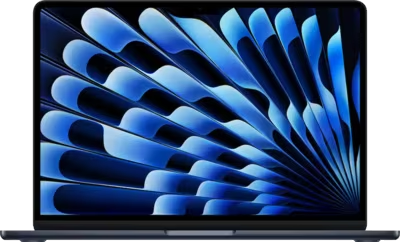
MacBook Air repair at Brentworth covers hardware faults across Intel and Apple Silicon models — including the M1, M2, and M3 generations in both 13-inch and 15-inch form factors. The MacBook Air is a thinner, lighter machine than the MacBook Pro, but the faults it develops are no less technical. Charging failures, liquid damage, no-power conditions, and display faults all require proper diagnosis to resolve correctly. Brentworth handles MacBook Air mail-in repairs nationwide with a diagnosis-first approach, so you know what you are dealing with before any repair cost is incurred.

The MacBook Air's fanless design is one of its defining characteristics, but it also means thermal management works differently from fan-cooled machines. The machine relies entirely on passive heat dissipation through the chassis, which means sustained heavy workloads can cause throttling without any fan noise as a warning sign. Fault diagnosis on fanless machines requires attention to how the system behaves under different loads, not just what it looks like at idle. On Apple Silicon models — M1, M2, and M3 — the CPU, GPU, neural engine, and memory are all on one chip, which changes how board-level faults present and what recovery options are available compared to older Intel models with discrete components.

The mail-in process starts with the intake form. Describe the MacBook Air model, what the machine is doing or not doing, and any events that preceded the fault — a drop, a liquid spill, a failed software update, or a gradual decline over time. Once the machine arrives it is assessed against your description, the fault is confirmed, and you receive a clear recommendation before anything chargeable moves forward. If the repair is not realistic given the machine's condition or the economics of the fault, Brentworth will say so clearly before any costs are incurred.


Ready to start?

Use the intake form to describe the device, the fault, and the result you want. The more specific you are, the easier it is to give you a useful answer.

Start Repair
Models we repair

Choose your model

Select your MacBook Air model for fault-specific information and repair details.

Common Issues

What we fix

USB-C charging faults and complete loss of charge

MacBook Air models rely entirely on USB-C for power, which means a charging fault can leave the machine completely dead once the battery drains. Faults range from a worn or damaged port that no longer seats the cable reliably, to a charging path fault where the machine shows 'plugged in' while the battery percentage keeps dropping, to a board-level failure with no charging activity at all. Trying a different cable and charger is the right first step. If the fault persists across multiple cables and chargers on both ports, the machine needs inspection.

Liquid damage and post-spill failures

The MacBook Air's slim profile and minimal internal clearance mean liquid reaches board components quickly. A small spill near the keyboard can cause corrosion that develops over days — presenting initially as an unresponsive key, then progressing to a dead trackpad, flickering display, missing audio, or complete no-power. Brentworth uses ultrasonic cleaning to remove liquid and corrosion residue before any fault is assessed or repair costs are confirmed.

No power, no startup, and black screen

A MacBook Air that shows no response to the power button, starts briefly and then stops, or powers on to a completely black screen may be dealing with a depleted or failed battery, an SMC state issue, a fault in the power delivery path, or a logic board problem. On Apple Silicon models the integrated nature of the chip means some no-power conditions that would be straightforward on Intel hardware are more complex to diagnose and repair.

Display faults and backlight failure

MacBook Air display problems include a screen that goes completely dark while the machine is otherwise running, a backlight that dims progressively or cuts out under certain hinge angles, flickering under low brightness settings, and physical damage from drops or hinge stress. A very faint image visible under a bright light or torch confirms the panel is working but the backlight circuit has failed — a distinct repair path from a cracked or dead panel.

Keyboard and trackpad faults

MacBook Air keyboard problems are common on 2018 to 2020 Intel models using the butterfly switch mechanism — keys that repeat input, stick, or fail to register are a known issue with that generation. Trackpad faults often follow liquid exposure or a drop, and can present as areas of the pad that do not register clicks, phantom input, or a pad that has physically swollen due to battery expansion pushing from underneath. Each fault requires inspection before the repair path is confirmed.

Battery swelling, rapid drain, and degradation

MacBook Air batteries degrade over time, but significant capacity loss before the machine reaches four or five years of age — or a battery that swells and causes the trackpad to stop clicking or the bottom case to bow outward — warrants assessment. A swollen battery is a safety issue and should not be left unaddressed. Rapid drain that leaves the machine at a low percentage after light use may indicate battery degradation, a background power draw fault, or a charging circuit issue that is preventing the battery from reaching a full charge.

Common Questions

Frequently asked questions

Which MacBook Air models does Brentworth repair?

Brentworth accepts MacBook Air mail-in repairs for Apple Silicon models — M1, M2, and M3 — in 13-inch and 15-inch form factors, as well as Intel MacBook Air models from 2015 onward. If you are not sure whether your model or fault is a realistic candidate, the intake form is the right place to describe the situation and find out.

My MacBook Air won't charge on either USB-C port. What should I do?

Try a different USB-C cable and charger first — preferably an Apple-branded or MFi-certified cable, since third-party cables can fail silently. If the machine still shows no charging activity on either port with a known-good cable and charger, it needs inspection. Start with the intake form and describe exactly what you see: whether any charging indicator appears, whether the machine responds to the power button at all, and whether the problem appeared suddenly or gradually.

Can a liquid-damaged MacBook Air be repaired?

Many can, depending on what the liquid reached and how the machine has been handled since the spill. A MacBook Air that was immediately powered off after a spill and left to dry without being turned back on is typically in a better position than one that has been cycled on repeatedly. Brentworth inspects and cleans affected areas before assessing the board condition and producing any quote. If the damage makes repair uneconomical, that is communicated clearly before any work is approved.

Is there an inspection fee for MacBook Air repair?

Yes. Brentworth charges a non-refundable inspection fee of $70 for MacBook Air repairs that require disassembly to diagnose. This fee is credited toward the repair cost if you choose to proceed with Brentworth. If you decide not to proceed, you receive a detailed written breakdown of the fault and what remediation would be required.

The screen is very dim but I can just about see an image. Is that a backlight fault?

Almost certainly yes. A faint image visible under a direct light source or in a dark room while the rest of the display stays black confirms that the panel is producing an image but the backlight circuit is not illuminating it. This is distinct from a failed panel and is a repairable fault on most MacBook Air models. The intake form is the right place to describe what you are seeing.

My MacBook Air battery drains very quickly. Is it worth replacing?

It depends on the machine's age, the number of charge cycles the battery has accumulated, and whether the drain rate is a battery capacity issue or a fault causing abnormal power draw. You can check cycle count in System Information under Power. A battery with more than 1000 cycles showing significant capacity loss is a straightforward replacement candidate. A relatively young battery draining unusually fast may have a different underlying cause that replacement alone will not fix.

My MacBook Air runs hot during normal tasks even though it has no fan. Is that expected?

The MacBook Air dissipates heat passively through the chassis, so it will run warmer than a fan-cooled machine during sustained workloads. Warmth during video calls, document work, or light browsing is normal. If the machine becomes hot to the touch during tasks that should be light, throttles noticeably during everyday use, or runs warm even at idle, that is worth investigating — it may indicate a software process consuming unexpected resources, or in some cases a board-level issue affecting power management.

How long does MacBook Air repair typically take?

Turn-around time depends on the fault. Port repairs and battery replacements typically resolve faster than liquid-damage cases requiring cleaning and board assessment, or no-power conditions that need detailed diagnosis. Once the MacBook Air arrives and the fault is confirmed, Brentworth provides a realistic timeline before any chargeable work moves forward.

Ready to start?

Use the intake form to describe the device, the fault, and the result you want. The more specific you are, the easier it is to give you a useful answer.

Start Repair

Related services

common repairs

Laptops

MacBook and Windows laptop repair for no power, USB-C charging faults, liquid damage, broken screens, hinge damage, and overheating.

View all services