
Overview

Samsung Galaxy Book Repair

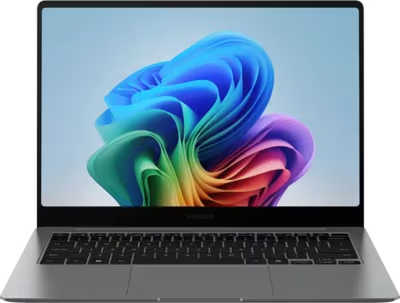
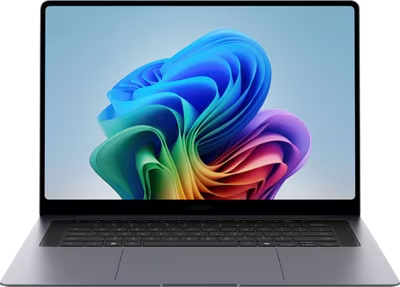
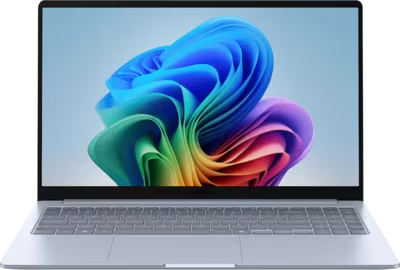
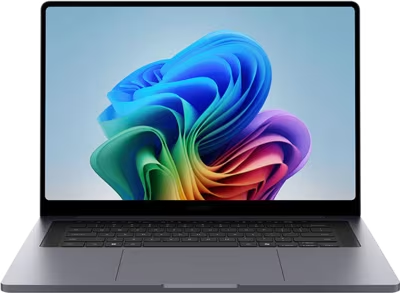
Samsung's laptop range centres on the Galaxy Book family, spanning mainstream, premium, ARM-based, and discrete-GPU configurations. The standard Galaxy Book covers everyday productivity. The Galaxy Book Pro brings AMOLED display quality and a thinner chassis. The Galaxy Book Edge is Samsung's Copilot+-certified ARM-based machine built for portability and AI workloads. The Galaxy Book Ultra adds a discrete GPU and a more capable thermal solution for sustained performance.

All Galaxy Book machines rely heavily on USB-C for charging and connectivity, and share the thin-chassis failure modes that come with that design — port wear, display cable stress, and battery degradation. Brentworth reviews Samsung Galaxy Book mail-in repair requests when proper diagnosis is the right first step before the machine is opened.

Ready to start?

Use the intake form to describe the device, the fault, and the result you want. The more specific you are, the easier it is to give you a useful answer.

Start Repair
Models we repair

Choose your model

Samsung's Galaxy Book lineup spans four product families. Select a line below to see common faults and what Brentworth reviews for that hardware.

Common Issues

What we fix

USB-C and Thunderbolt port wear

Galaxy Book laptops charge, output display, and connect peripherals through USB-C and Thunderbolt ports. Daily use with adapters, docking stations, and display cables accelerates mechanical wear. A port that charges intermittently, only works at certain angles, or no longer outputs display reliably needs inspection before the board contact pads are damaged.

Battery degradation and swelling

Galaxy Book batteries cycle daily in portable use and lose capacity over time. A battery that no longer holds a useful charge, shuts the machine off before reaching zero, or has begun to swell should be replaced. Thin chassis designs leave little room for pack expansion before casing or keyboard damage occurs.

Display and hinge faults

Display cable stress at the hinge is a common failure mode across Galaxy Book lines. Thin machines route the cable tightly, and repeated opening and closing eventually causes stress damage. AMOLED panels on Pro models introduce burn-in as an additional failure mode. Symptoms include flickering, color shift, or a display that only works at certain lid angles.

Water and liquid damage

Thin portable laptops used in varied environments — on desks with drinks, in cafes, while travelling — are exposed to liquid regularly. Liquid entering through the keyboard on a Galaxy Book has a short path to the board. A machine that survived a spill and appeared to recover should still be assessed — residue continues to corrode after the exterior dries.

No power and failure to start

A Galaxy Book that does not respond to the power button despite a connected adapter may have a depleted or failed battery, a worn USB-C charging port, or a board-level power fault. Extended storage can drop the battery below the threshold required for startup. No sign of life after an extended charge period with a confirmed-working adapter requires board-level diagnosis.

Common Questions

Frequently asked questions

Do you repair all Samsung Galaxy Book models?

Brentworth reviews repair requests for Samsung Galaxy Book, Galaxy Book Pro, Galaxy Book Edge, and Galaxy Book Ultra. Acceptance depends on the fault, the model, and whether the repair is economically viable. Submit intake before shipping anything.

Can you fix a Samsung Galaxy Book that won't charge or turn on?

Yes. No-charge and no-power faults are among the most common Galaxy Book submissions. The cause may be a worn USB-C port, a depleted battery, or a board-level fault. Diagnosis determines the repair path.

Can you repair liquid damage on a Samsung Galaxy Book?

Yes. Liquid damage submissions are reviewed on intake. Success depends on what was spilled, how quickly the machine was shut down, and which components were reached. The sooner the machine is assessed, the better the likely outcome.

My Samsung Galaxy Book screen is cracked — can you replace it?

Yes. Screen replacement across Galaxy Book lines is reviewed at intake. Include the exact model and whether the display still powers on or shows any image. AMOLED panels have longer sourcing lead times than standard IPS replacements.

Can you recover data from a Samsung Galaxy Book that won't boot?

Data recovery depends on where the fault is. If the drive is intact and the board fault is isolated, it may be readable externally. If the drive has failed, recovery is a separate process. Describe the failure in intake and Brentworth will advise on the right approach.

Do you work on Samsung Galaxy Book laptops that have had previous repair attempts?

Yes, but prior repair history should be disclosed at intake. Incomplete repairs, wrong parts, or damage from incorrect disassembly affect the diagnostic process and may affect the quote.

Is it worth repairing a Samsung Galaxy Book?

That depends on the fault, the age, and the repair cost. Brentworth gives an honest assessment — if the repair does not make sense relative to the hardware value, you will be told clearly.

Ready to start?

Use the intake form to describe the device, the fault, and the result you want. The more specific you are, the easier it is to give you a useful answer.

Start Repair

Related services

common repairs

Laptops

MacBook and Windows laptop repair for no power, USB-C charging faults, liquid damage, broken screens, hinge damage, and overheating.

View all services