
Overview

Asus ROG Strix SCAR Repair

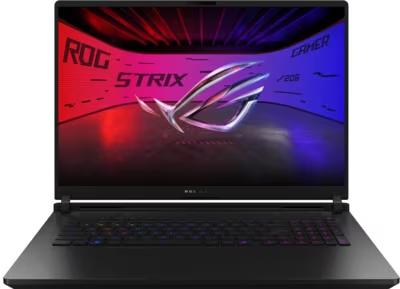
The ROG Strix SCAR is Asus's flagship desktop-replacement gaming laptop, built around the highest-TDP Intel Core Ultra processors and top-tier RTX 50-series GPUs available in the laptop segment. The SCAR 16 and SCAR 18 prioritise sustained gaming performance above all else — large chassis, aggressive cooling, and ROG Nebula HDR OLED displays. The sustained power levels these machines operate at make thermal maintenance more critical and more time-sensitive than on lower-powered laptops. Thermal paste that would last several years on a lighter machine degrades noticeably faster under the sustained loads that SCAR-class hardware produces.

Brentworth reviews ROG Strix SCAR mail-in repair requests for thermal faults, GPU issues, display problems, charging connector damage, liquid damage, and board-level diagnosis across current and recent generations.

Ready to start?

Use the intake form to describe the device, the fault, and the result you want. The more specific you are, the easier it is to give you a useful answer.

Start Repair
Models we repair

Choose your model

Select your SCAR model for generation-specific fault information and repair details.

Common Issues

What we fix

Thermal throttling under sustained gaming load

The ROG Strix SCAR operates at sustained power levels that exceed most gaming laptops. Under prolonged gaming or rendering sessions, combined CPU and GPU loads generate extreme heat. As thermal interface material degrades, the cooling system's efficiency drops — causing the machine to throttle performance, run fans at maximum speed during lighter workloads, or shut down protectively during extended sessions. Thermal service is the appropriate starting point for a SCAR that is underperforming relative to its specification.

RTX 50-series GPU faults

GPU faults on the ROG Strix SCAR present as artifacting or corruption under 3D load, crashes during gaming that do not occur at desktop, loss of display output on the built-in screen or an external monitor, or a machine that goes dark under load and recovers at idle. On SCAR hardware, GPU instability often has a thermal origin — the high sustained TDP accelerates paste degradation faster than on lower-powered machines. Diagnosis establishes whether the fault is thermal, a power delivery problem, or a hardware fault before any parts are sourced.

Proprietary charging connector and power delivery

SCAR-class hardware draws more power than USB-C can deliver. The proprietary barrel connector is required for full-performance charging. A connector that requires the cable to be held at a specific angle, shows no charging with a known-good adapter, or delivers charge intermittently needs inspection. Internal connector failures under sustained high-current draw can stress the charging circuit on the board if left unaddressed.

ROG Nebula HDR OLED display faults

The ROG Strix SCAR uses ROG Nebula HDR OLED panels subject to different fault modes than IPS panels. Dead pixels, column or row faults visible as vertical or horizontal lines, uneven brightness, and areas of permanent image retention are the most common OLED issues. A display that flickers, has developed a visible dead zone, or shows lines across the panel requires inspection to determine whether the fault is in the panel, the display cable, or the board-level output path.

Liquid damage

Despite their large chassis, SCAR laptops are tightly packed with high-value components. Liquid that enters through the keyboard reaches the board and GPU quickly. The machine may continue to function after a spill and then develop GPU instability, USB failures, fan faults, or a no-power condition as corrosion spreads over days or weeks. Do not power on or charge a SCAR that has been exposed to liquid before it has been assessed.

No power and failure to boot

A ROG Strix SCAR that shows no response to the power button, powers on briefly before shutting off, or stalls during POST may have a dead battery, a failed proprietary charging connector, a blown protection component, or a board-level fault. High sustained current draw accelerates wear on power delivery components relative to lighter machines.

Common Questions

Frequently asked questions

Which ROG Strix SCAR models does Brentworth repair?

Brentworth reviews repair requests for the ROG Strix SCAR 16 and SCAR 18 across current and recent generations, including 2025 and 2026 model years. Describe the exact model, year, and GPU configuration in the intake form.

My SCAR shuts down during gaming — is that a thermal fault?

In most cases yes. SCAR-class hardware operates at sustained power levels that accelerate thermal paste degradation faster than lower-powered gaming laptops. Shutdown during gaming is a protective response when the cooling system can no longer manage the heat load. Thermal service — cleaning the fin stacks, replacing paste on both the CPU and GPU dies, and inspecting fans for bearing wear — resolves the majority of these submissions. If throttling or shutdown persists after full thermal service, board-level diagnosis is the next step.

Can the SCAR use USB-C for charging, or does it always need the proprietary adapter?

SCAR laptops require the proprietary high-wattage barrel connector for full-performance charging. USB-C cannot deliver the sustained wattage SCAR hardware needs under gaming load — it may be possible to charge slowly via USB-C at desktop, but this is not sufficient for sustained gaming. If the machine will not charge on the correct adapter, the connector or board-level charging circuit needs inspection.

How often does thermal paste typically need replacing on SCAR hardware?

More frequently than on lighter machines. The sustained combined CPU and GPU power levels SCAR hardware operates at cause thermal interface material to degrade faster than on lower-wattage laptops. Machines used heavily for gaming commonly need repasting every one to two years. A SCAR that has been running hotter than usual or throttling during sessions that were previously smooth is showing signs that service is overdue.

My SCAR shows display corruption under GPU load but looks fine at desktop — is that a panel fault or a GPU fault?

Corruption that appears specifically under GPU load and not at desktop almost always points to a GPU fault rather than a panel fault. A panel fault produces static damage — dead pixels, lines, or uneven brightness — that is visible regardless of what the machine is doing. Artifacts that appear under load and recover at idle point to a thermal GPU fault, a power delivery problem, or a hardware fault on the GPU itself. Submit intake with a description of the conditions under which it appears.

Is there an inspection fee for ROG Strix SCAR repair?

Yes. Brentworth charges a non-refundable inspection fee of $70 for ROG Strix SCAR repairs that require disassembly to diagnose. This is credited toward the repair cost if you choose to proceed. If you decide not to proceed, you receive a detailed written breakdown of the fault and what remediation would be required.

Ready to start?

Use the intake form to describe the device, the fault, and the result you want. The more specific you are, the easier it is to give you a useful answer.

Start Repair

Related services

common repairs

Laptops

MacBook and Windows laptop repair for no power, USB-C charging faults, liquid damage, broken screens, hinge damage, and overheating.

View all services