
Overview

Asus ROG Laptop Repair

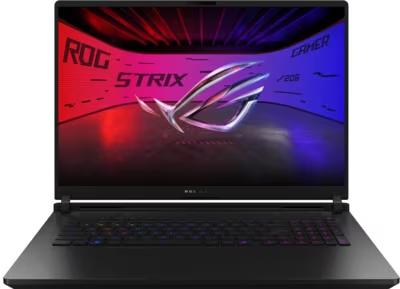
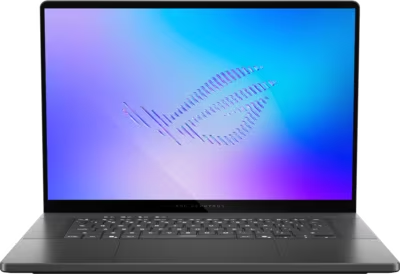
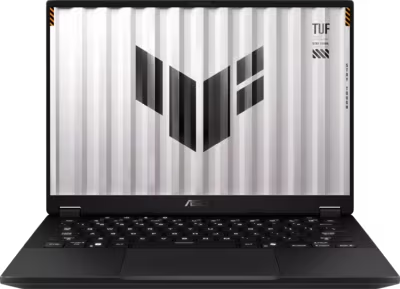
Asus ROG laptops span a wide range of form factors and hardware configurations — from the desktop-replacement ROG Strix SCAR 18 with RTX 5090 and Intel Core Ultra 9 290HX Plus, to the thinner ROG Zephyrus G14 and G16 running Intel Core Ultra 9 386H with OLED displays, to the tablet-style ROG Flow Z13 built on AMD Ryzen AI MAX+ 395. The Strix G18 and G16 sit in between, with both Intel and AMD configurations across the 2025 and 2026 generations. Brentworth handles Asus ROG mail-in repairs nationwide with a diagnosis-first approach across the full current lineup.

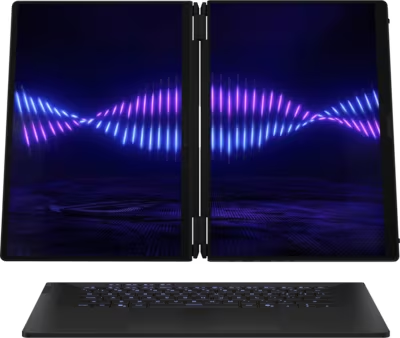
The ROG range uses two distinct display technologies. The ROG Nebula HDR Display is an OLED panel — used on the Strix SCAR 18 (2026), Zephyrus G14, G16, and Zephyrus Duo — which offers higher contrast and colour accuracy but is subject to different fault patterns than IPS panels. The ROG Nebula Display used on the Strix G18 and G16 is an IPS panel. GPU configurations range from RTX 5050 on the entry-level Strix G18 (2025) to RTX 5090 on the Strix SCAR 18 and Zephyrus Duo, with both PCIe 3.0 and PCIe 4.0 M.2 NVMe storage depending on configuration. The Zephyrus Duo adds a secondary ScreenPad Plus display above the keyboard, which introduces additional fault points not present on single-screen machines.

The mail-in process starts with the intake form. Describe the ROG model name and year, what the machine is doing or not doing, and any relevant history — sustained gaming sessions before shutdown, liquid near the keyboard or vents, a drop, or a display that has changed gradually over time. Once the machine arrives it is assessed against your description, the fault is confirmed, and you receive a clear recommendation before any chargeable work begins.

Ready to start?

Use the intake form to describe the device, the fault, and the result you want. The more specific you are, the easier it is to give you a useful answer.

Start Repair
Models we repair

Choose your model

Select your Asus series for model-specific fault information and repair details.

Common Issues

What we fix

Overheating and thermal throttling under sustained load

ROG Strix SCAR and Strix G machines running RTX 5080 and 5090 GPUs alongside Intel Core Ultra 9 processors generate significant heat under sustained gaming load. Machines that throttle during gaming, shut down unexpectedly, or run the fans at full speed during lighter tasks may have degraded thermal interface material on the CPU or GPU dies, blocked heatsink fin stacks, or fan issues. Zephyrus models use thinner chassis with tighter thermal tolerances, which can make degradation more noticeable more quickly. Thermal service is the appropriate starting point.

GPU faults and display output issues

RTX 50-series GPU faults on ROG laptops present as no display output on the built-in screen or an external monitor, artifacting or corruption under 3D workloads, crashes during gaming that do not occur at desktop, or a display that goes dark under load and recovers at idle. Because the Zephyrus G14 and G16 use the lower-TDP Intel Core Ultra 9 386H rather than the 290HX Plus in the Strix range, GPU behaviour and power delivery differ between the two lines. Diagnosis is needed to determine whether a fault is in the GPU, the power delivery path, or the display output circuit before any parts are sourced.

Charging connector and power delivery faults

Asus ROG laptops use a proprietary barrel connector for primary charging alongside USB-C on most models — the higher-wattage configurations require the barrel connector rather than USB-C for full performance charging. A connector that requires the cable to be held at a specific angle, shows no charging activity with a known-good adapter, or charges intermittently needs inspection. Internal connector failures can stress the charging circuit on the board if left unaddressed.

Liquid damage and post-spill failures

Liquid that reaches the board through the keyboard or chassis vents can cause key failures, trackpad loss, GPU instability, random shutdowns, or a complete no-power condition as corrosion develops over time. The Zephyrus Duo's ScreenPad Plus introduces an additional ingress point above the keyboard area that standard single-screen machines do not have. The Flow Z13 in tablet mode exposes different surfaces than a traditional clamshell. Brentworth uses ultrasonic cleaning to remove liquid and corrosion residue before any board assessment is performed.

No power and failure to boot

An Asus ROG laptop that shows no response to the power button, powers on briefly before shutting off, or stalls during POST may be dealing with a charging circuit fault, a battery issue, a failed board component, or a secondary fault caused by sustained thermal stress. AMD-based machines — the Strix G18 (2025) with Ryzen 9 8940HX or 9955HX, and the Flow Z13 with Ryzen AI MAX+ 395 — can present no-power and boot failure differently from Intel configurations. Diagnosis determines the root cause before any parts are ordered.

OLED display faults and ROG Nebula HDR panel issues

The ROG Nebula HDR Display — an OLED panel used on the Strix SCAR 18 (2026), Zephyrus G14, G16, and Zephyrus Duo — is subject to different fault types than the IPS Nebula Display on the Strix G18 and G16. OLED panels can develop dead pixels, partial brightness loss, or column/row faults that appear as horizontal or vertical lines. A display that flickers, shows uneven brightness, or produces no image while the machine is otherwise running requires inspection to determine whether the fault is in the panel itself, the display cable, or the board-level display output path. The Zephyrus Duo has two displays — primary OLED and secondary ScreenPad Plus — and faults can occur independently on either.

Common Questions

Frequently asked questions

Which Asus ROG models does Brentworth repair?

Brentworth accepts mail-in repairs for the ROG Strix SCAR 18 (2025 and 2026), ROG Strix G18 and G16 (2025 and 2026, in both Intel and AMD configurations), ROG Zephyrus G14 and G16 (2026), ROG Zephyrus Duo (2026), and ROG Flow Z13. If you are unsure whether your specific model or configuration is a repair candidate, the intake form is the right place to describe the situation and find out.

My ROG Strix SCAR shuts down during gaming. Is that a thermal fault?

Thermal shutdown during sustained gaming is one of the most common ROG Strix SCAR mail-in cases at Brentworth. The Strix SCAR 18 (2026) runs Intel Core Ultra 9 290HX Plus with RTX 5090 or 5080 at high sustained power, and when thermal interface material degrades or fin stacks become blocked, the machine will hit thermal limits and shut down protectively. Thermal service — cleaning the cooling system and replacing thermal interface material — is the appropriate starting point. If it does not resolve the issue, board-level diagnosis is the next step.

My Zephyrus G16 OLED display has dead pixels or lines. Is the panel replaceable?

Dead pixels, column faults, or horizontal lines on the ROG Nebula HDR OLED display used in the Zephyrus G16 (2026) are panel-level faults in most cases. Whether the panel is serviceable depends on parts availability and whether the fault is in the panel itself or in the display cable or eDP connector. Start with the intake form and describe what you are seeing — including whether the fault appeared suddenly or has developed gradually, and whether it affects the full panel or a specific area.

Is there an inspection fee for Asus ROG laptop repair?

Yes. Brentworth charges a non-refundable inspection fee of $70 for Asus ROG laptop repairs that require disassembly to diagnose. This fee is credited toward the repair cost if you choose to proceed. If you decide not to proceed, you receive a detailed written breakdown of the fault and what remediation would be required.

My ROG laptop shows no display output on the built-in screen or an external monitor. What does that mean?

No output on both the internal display and an external monitor most commonly points to a GPU fault, a board-level failure in the display output path, or a power delivery problem preventing the GPU from initialising. Try connecting an external monitor via HDMI or USB-C first — if that produces an image, the fault is isolated to the internal display assembly or cable. If neither works, the machine needs board-level diagnosis.

Can you repair a liquid-damaged Asus ROG laptop?

Many liquid-damaged ROG laptops are recoverable depending on what the liquid reached and whether the machine has been repeatedly powered on since the spill. The Zephyrus Duo has additional ingress risk through the ScreenPad Plus hinge area. Brentworth inspects and cleans with ultrasonic equipment before assessing board condition. If repair is not viable, that is communicated clearly before any work is approved.

My ROG Flow Z13 won't turn on. Does the tablet form factor affect how it is repaired?

The Flow Z13 uses AMD Ryzen AI MAX+ 395 in a detachable tablet chassis rather than a traditional clamshell design. Disassembly and repair procedures differ from conventional ROG laptops, and the detachable keyboard connection introduces an additional fault point not present on clamshell machines. Describe the model, what the machine is doing, and whether the fault occurs in tablet mode, with the keyboard attached, or both.

How long does Asus ROG laptop repair typically take?

Thermal service typically resolves faster than liquid-damage cases requiring cleaning and board assessment, or GPU and board-level faults requiring deeper diagnosis. OLED panel replacements depend on parts availability. Once the machine arrives and the fault is confirmed, Brentworth provides a realistic timeline before any chargeable work moves forward.

Ready to start?

Use the intake form to describe the device, the fault, and the result you want. The more specific you are, the easier it is to give you a useful answer.

Start Repair

Related services

common repairs

Laptops

MacBook and Windows laptop repair for no power, USB-C charging faults, liquid damage, broken screens, hinge damage, and overheating.

View all services