
Overview

Dell G-Series Gaming Laptop Repair

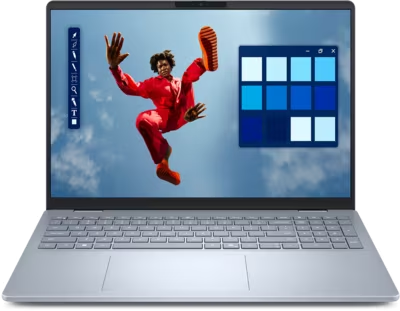
The Dell G-series covers gaming laptops at accessible price points, sitting below the Alienware line in Dell's gaming portfolio. G-series machines are capable under gaming and creative workloads, but like most gaming laptops they run warm, cycle fans heavily, and accumulate thermal paste degradation faster than lighter hardware. Common intake reasons include thermal throttling during gaming sessions, fan noise or failure, display faults on high-refresh-rate panels, charging port wear, and battery degradation from sustained performance use.

Brentworth reviews G-series mail-in repair requests when the fault needs proper diagnosis before parts are ordered or the machine is opened.

Ready to start?

Use the intake form to describe the device, the fault, and the result you want. The more specific you are, the easier it is to give you a useful answer.

Start Repair
Models we repair

Choose your model

Brentworth reviews repair requests across the G-series lineup. Select a model below or submit intake with your exact configuration.

Common Issues

What we fix

Thermal throttling during gaming

G-series laptops push CPU and GPU hard under sustained gaming loads. Thermal paste degrades with heat cycling over time, reducing the efficiency of the heatsink contact. The system responds by throttling clock speeds to stay within safe temperature limits, which drops frame rates and performance.

Fan failure and bearing noise

G-series fans run at high speeds for extended periods during gaming. Bearing wear develops over time and presents as rattling, grinding, or a fan that has stopped spinning entirely. A fan that is not spinning correctly causes temperatures to rise rapidly under load.

Display faults on high-refresh panels

G-series models are often configured with high-refresh-rate displays. These panels can develop backlight flickering, color shifts, or complete backlight failure. Display cable stress at the hinge is a common cause, though driver board faults and panel failures also occur.

Battery wear from gaming sessions

Gaming laptops cycle batteries hard when run on battery power, and G-series hardware is no exception. Batteries that have lost significant capacity, swell, or no longer hold a useful charge need replacement. Running a gaming laptop primarily on AC power slows this degradation but does not prevent it entirely.

Water and liquid damage

G-series gaming laptops are often used at desks with drinks nearby. Keyboard spills are the most frequent entry point — liquid reaches the board through the gaps between keys and the membrane below. The machine may boot and run after a spill but develop fan failures, USB faults, or random shutdowns as corrosion spreads. Do not power on a G-series that has been spilled on — shut it down, do not charge it, and submit intake for assessment.

No power and failure to start

G-series laptops that do not respond to the power button may have a depleted or failed battery, a damaged charging port, or a board-level power fault. Gaming laptops that run primarily on AC power can develop battery faults that are not noticed until the adapter is removed. A machine that powers on with the adapter connected but shuts off immediately when unplugged has a battery issue. A machine that shows no response at all with a known-good adapter needs board-level diagnosis.

Common Questions

Frequently asked questions

Can you fix a Dell G-series that throttles during gaming?

Yes. Throttling during gaming on G-series hardware is typically a thermal issue. Diagnosis confirms whether the cause is degraded thermal paste, a failing fan, or a blocked heatsink before any work is quoted.

Do you repair the display on Dell G15 and G16 laptops?

Yes. Display faults including flickering, backlight failure, and panel damage are reviewed at intake. The diagnostic process establishes whether the cable, panel, or board is the fault before repair work is approved.

Is the Dell G-series worth repairing versus replacing?

That depends on the age of the hardware, the fault, and the repair cost. Brentworth gives an honest recommendation at the assessment stage — if the repair does not make sense relative to what the machine is worth, you will be told clearly.

My G-series fan is loud at idle or makes a grinding noise — is that a problem?

Fan noise at idle that has changed recently or is accompanied by grinding usually means a bearing is worn. G-series fans run hard under gaming loads, and bearing wear develops over time. A fan that is noisy at idle and louder under load should be replaced before it fails entirely and causes thermal damage.

Can you replace the battery on a Dell G15 or G16?

Yes. Battery replacement on G-series hardware is reviewed at intake. Include the exact model and year so the correct battery can be confirmed. G-series batteries are generally accessible once the bottom panel is removed.

My G-series won't output video to an external monitor — what could cause that?

No external video on G-series laptops is usually a port issue, a display driver fault, or a routing problem between the integrated and dedicated GPU. Some G-series models route external video through the dedicated GPU, which means a failing GPU also kills external output. Diagnosis determines whether the fault is the port, the GPU, or the board.

Can you repair a Dell G-series after liquid damage?

Yes, depending on the extent of the exposure and which components were affected. G-series liquid damage submissions are reviewed on intake. Corrosion from liquid exposure can appear days or weeks after the incident, so the sooner the machine is assessed the better the outcome is likely to be.

Ready to start?

Use the intake form to describe the device, the fault, and the result you want. The more specific you are, the easier it is to give you a useful answer.

Start Repair

Related services

common repairs

Laptops

MacBook and Windows laptop repair for no power, USB-C charging faults, liquid damage, broken screens, hinge damage, and overheating.

View all services