
Overview

NVIDIA GeForce GPU Repair

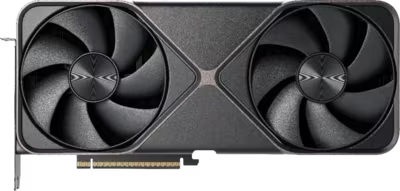
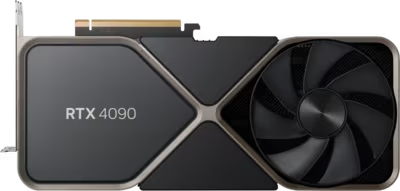
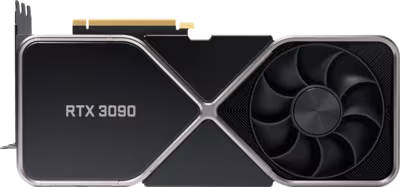
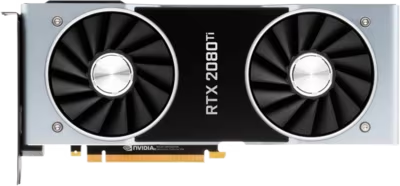
NVIDIA GeForce GPU repair at Brentworth covers the full RTX lineage — from the latest Blackwell RTX 50 series through Ada Lovelace RTX 40, Ampere RTX 30, and Turing RTX 20 cards. Each generation brought different hardware architectures, cooling designs, and connector standards, and each has developed predictable failure patterns that experienced diagnosis can distinguish from one another.

The RTX 40 series introduced the 16-pin 12VHPWR power connector across much of the range, which created a new category of connector-related failure that earlier Ampere and Turing cards did not have. RTX 30-series cards — particularly the 3090, 3080, and 3080 Ti — were often pushed to the limits of their thermal headroom by aggressive power limits and heatsink designs that worked adequately when new but degraded faster than expected. RTX 20-series cards are now old enough that thermal paste and fan bearings have had years to degrade. The RTX 50 series brings GDDR7 memory and power targets that exceed anything in the previous generation.

Brentworth handles NVIDIA GPU mail-in repairs nationwide. The process begins with the intake form — describe the card, the fault, and any relevant history. Once the card arrives it is inspected against your description, the fault is confirmed, and a clear recommendation is made before any chargeable work begins.

Ready to start?

Use the intake form to describe the device, the fault, and the result you want. The more specific you are, the easier it is to give you a useful answer.

Start Repair
Models we repair

Choose your model

Select your RTX generation for fault-specific information and repair details.

Common Issues

What we fix

No display output despite the system powering on

An NVIDIA card that spins its fans and shows activity on the PCIe bus but produces no display output covers a wide range of possible faults. The failure may be in the display output circuitry, the VRAM, the firmware, or deeper on the board. On RTX 40-series cards, 12VHPWR connector damage can cause a partial power fault that looks identical to a board failure from the outside. Confirmation of what is actually responsible requires inspection and bench testing, not a parts-swap guess.

Artifacting, driver crashes, and load-dependent instability

NVIDIA GeForce cards that display corruption artefacts — shimmering textures, lines across the screen, geometric noise — or that crash to a black screen under load are often showing signs of VRAM instability, thermal problems, or power delivery issues. RTX 30-series cards in particular developed a reputation for junction temperature spikes in the memory modules, which can cause instability long before the GPU die itself overheats. Load-dependent crashes that recover after a driver reset usually need thermal and power assessment before conclusions are drawn.

Overheating, fan failure, and degraded thermal interface materials

NVIDIA GeForce cooling solutions vary widely across generations. RTX 40 and 50-series cards use thick die-cast heatsinks with large vapour chambers; older RTX 20-series cards relied on simpler designs with less thermal margin. Thermal paste and pads degrade over time and under repeated heat cycling. Fan bearings wear out. A card that runs hotter than it should, ramps fans aggressively during light workloads, or shuts down to protect itself may need a full thermal service — not just a repaste, but an assessment of whether the pads are original and whether the cooler mounting is still applying adequate pressure.

Damaged 12VHPWR or PCIe power connectors

RTX 40-series cards that use the 16-pin 12VHPWR connector have a documented failure mode where the connector melts or chars, typically at the adapter end but occasionally at the card-side receptacle. RTX 50-series cards use the revised 12VHPWR 2.0 spec. A card with a damaged connector needs inspection of both the connector and the board traces around it before any repair work is scoped. RTX 30 and 20-series cards use standard 8-pin PCIe connectors, which can still develop damage from forced insertions or repeated plugging cycles.

VRAM faults and persistent screen corruption

Some NVIDIA GeForce cards develop VRAM faults that produce consistent corruption rather than load-dependent instability — artefacts that appear at boot, persist across drivers, or show up in VRAM diagnostic tools. GDDR6X memory on RTX 30-series flagships ran at junction temperatures that pushed the limits of the specification, and some of those chips developed faults over time. VRAM replacement is microsoldering work that requires correct part sourcing and programming; it is only viable on cards where the rest of the board is healthy and the card's value supports the work.

Common Questions

Frequently asked questions

Which NVIDIA GPU generations does Brentworth repair?

Brentworth accepts NVIDIA GeForce mail-in repair requests across the RTX 50 (Blackwell), RTX 40 (Ada Lovelace), RTX 30 (Ampere), and RTX 20 (Turing) series. Workstation and TITAN cards are also accepted. Acceptance depends on the fault, the card's condition, and whether the repair is economically viable given the card's value. Select your GPU generation below or describe the model and fault in the intake form.

What are the most common reasons an NVIDIA GPU fails?

The most common NVIDIA GPU repair presentations are thermal-related — dried thermal paste, degraded thermal pads on memory chips, or worn fan bearings causing temperatures to rise beyond what the card can tolerate. After thermal issues, connector damage is the next most common category, particularly 12VHPWR connector failures on RTX 40-series cards and standard PCIe connector damage from rough handling. VRAM faults, display output circuit failures, and board-level component failures account for a smaller but significant share of cases, and are typically the presentations that require deeper diagnosis.

Can VRAM be replaced on NVIDIA graphics cards?

Yes, but it is a microsoldering repair that requires appropriate tooling, correct chip sourcing, and programming after installation. VRAM replacement is only viable when the rest of the board is healthy, the specific failed chip or chips can be identified, and the card's value supports the cost of the work. On RTX 30-series GDDR6X models in particular, it is important to confirm that the instability is actually a chip fault rather than a thermal pad problem before VRAM replacement is approved — the latter is far more common and far less expensive to resolve.

My GPU fans are making noise but the card still works. Should I get it looked at?

Yes. A fan that is grinding, clicking, or producing abnormal noise under light load is showing early bearing failure. If a fan stalls or stops entirely, the card will overheat rapidly and potentially sustain board damage that could have been avoided. Fan replacement on a GPU is a straightforward repair when caught early, and significantly more expensive to address after the bearing fully fails and causes secondary thermal damage. Describe the noise, the card model, and whether it is a Founders Edition or an AIB partner card in the intake form.

How do I pack and ship my GPU safely for a mail-in repair?

The original box and packaging is the best option if you still have it. If not, wrap the card in two layers of anti-static bubble wrap or anti-static foam, then pack it in a snug cardboard box with no room for the card to shift during transit. Double-boxing — a padded inner box inside a larger outer box — is recommended for large cards like the RTX 4090 or RTX 5090. Remove any attached power adapters or cables before packing. Include your intake reference number inside the package. Use a tracked, insured shipping service rated for the declared value of the card.

Is there a diagnostic fee for GPU repair?

Yes. Brentworth charges a non-refundable diagnostic fee that is credited toward the repair cost if you choose to proceed. The fee covers bench testing, inspection under magnification, and a written assessment of the fault. If the card is not economically recoverable, you receive a clear explanation of why before any repair work is attempted.

My NVIDIA GPU is out of manufacturer warranty. Does that affect what repairs are possible?

No. Out-of-warranty cards are Brentworth's primary repair candidates. NVIDIA's standard warranty is typically three years from purchase, and RTX 20 and RTX 30 series cards are well past that window. RTX 40-series cards are approaching it for early-launch models. Being out of warranty has no bearing on what repairs are technically possible — it simply means the manufacturer is no longer obligated to cover the cost. If your card is still within warranty, check whether the fault qualifies for manufacturer service before sending it for third-party repair.

Ready to start?

Use the intake form to describe the device, the fault, and the result you want. The more specific you are, the easier it is to give you a useful answer.

Start Repair

Related services

Specialist Work

GPU's

Diagnosis-first GPU repair for no display, artifacting, overheating, fan failure, and damaged connectors.

View all services